Contained tiling (nested zones)
Claim
Contained tiling (also nested zones) is a reusable windowing pattern: a host application offers an optional tiling / zone manager inside its own chrome, so users can split, place, and fade regions without hijacking the OS desktop environment or compositor (not i3/sway/Windows FancyZones at the DE level).
In plain language: tile inside the app box, not the whole desktop.
Why it exists
Linux/dev users often want tiling muscle memory. Replacing the OS WM is a product and support sink, and breaks users who still need floating desktop apps.
Contained tiling keeps chaos inside a dedicated UI area — multiple monitors can each host a zone window of the same app, while the rest of the desktop stays under the OS WM.
Abstraction (not terminal-only)
At the abstract level this is general region management for any context:
-
Terminal session panes (Open Terminal is the first product home)
-
Web browsing / doc panes
-
Editor + preview splits
-
Any multi-surface "desk" inside one product
Do not couple the HCI concept exclusively to PTY. OpenShellOrg applies it to terminals; other products may apply the same pattern to browsers or tools.
Vocabulary
| Term | Meaning |
|---|---|
Contained tiling |
Pattern name — tiling nested inside app chrome, not the OS DE/WM. |
Nested zone (zone) |
A region (possibly its own OS window of the host app) that can hold one or more tiled surfaces. May be faded/empty until populated. |
Surface |
Whatever content fills a tile (terminal session, browser pane, …). |
Group |
Logical membership set of surfaces (e.g. project spawn group). Membership is stable across display placement. |
Zone registration |
A group (or surface) registers which zone/window currently displays it. Moving display does not leave the group. |
Behaviors (pattern)
-
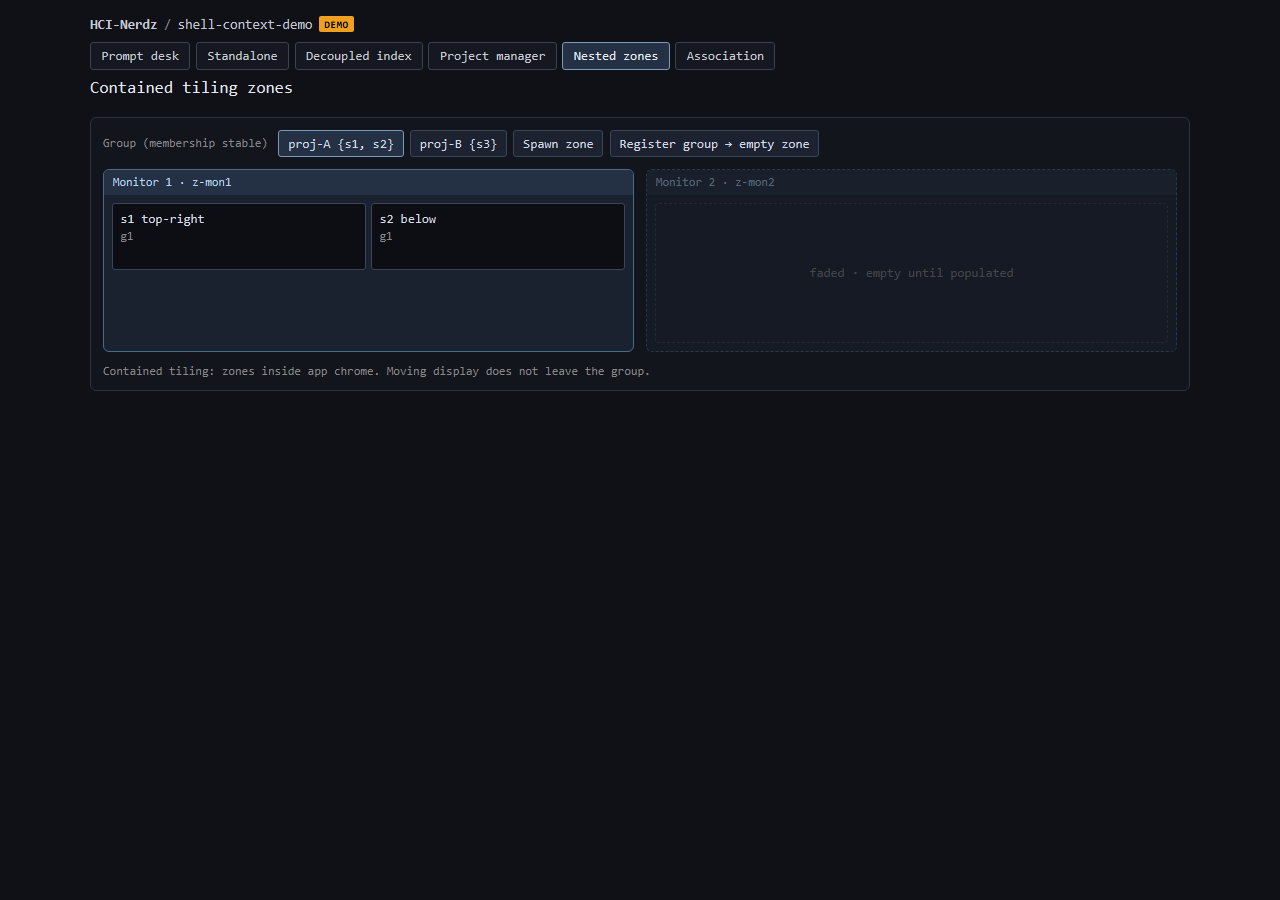
User spawns a zone (e.g. dedicate a zone on monitor 1 and another on monitor 2). Empty zones may be faded until populated.
-
User assigns which group/surface sits in which zone.
-
Group membership of a surface does not change when its display zone changes.
-
Classic layout: one surface top-right of a zone, another below — splits stay inside the zone bounds.
Group <→ zone registration (ASCII)
  GROUP membership (stable)          ZONE display (mutable)
  ========================          =======================

  Group G1                          Zone Z-mon1 (faded until filled)
    Session/Surface S1 ----reg---->   +----------+----------+
    Session/Surface S2 ----reg---->   |   S1     |          |
                                      +----------+   empty  |
  Group G2                            |   S2     |  (fade)  |
    Session/Surface S3 ----reg---->   +----------+----------+

  Group G1 still owns S1+S2 even if S2 later moves to Zone Z-mon2.
  Registration = "where am I shown?", not "who am I with?".
Boundary vs OS tiling
| Layer | Job |
|---|---|
OS DE / WM (i3, sway, FancyZones, …) |
Whole-desktop window placement. Contained tiling does not replace this. |
Contained tiling (this pattern) |
Regions inside one product’s dedicated UI / zone windows. |
Product chrome (tabs, groups) |
Identity and membership (e.g. project groups) — orthogonal to tile geometry. |
Demo
Interactive mock: shell-context-demo · Nested zones.
Related HCI
-
Spatial web windows — separate surfaces, shared selection.
-
Highlight vs pipe linking — selection cues across windows.
-
Project inbox — parallel work grids (cousin, not tiling).
Product homes
-
Open Terminal / DevCentr manager application: nested-tiling-zones @ shell-architecture
-
DevCentr consumes for project-spawned zones; does not own the pattern essay.