Today
last suffix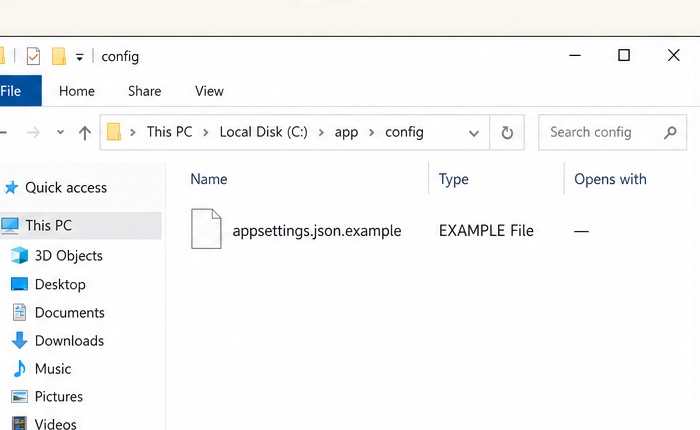
-
Files like
appsettings.json.exampleappear as generic EXAMPLE files. - The inner type is ignored.
- No useful editor association.
 HCI Nerdz
Demo · Pass-through extensions
Type a filename. Watch Windows-style last suffix wins strand the type — then peel the meta-badge and resolve the inner association the way Explorer should.
appsettings.json.example appear as generic EXAMPLE files.
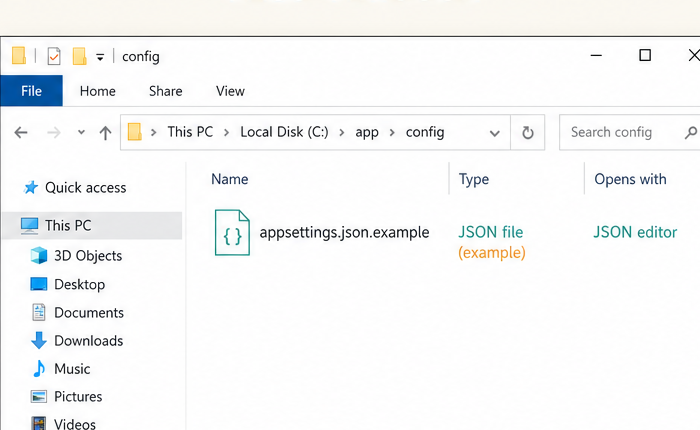
Explorer windows are product screenshots (click to expand). Panel labels and notes use site tokens — teal accent for the inner type, focus / amber for the meta-badge — so the page chrome stays dark-mode native.
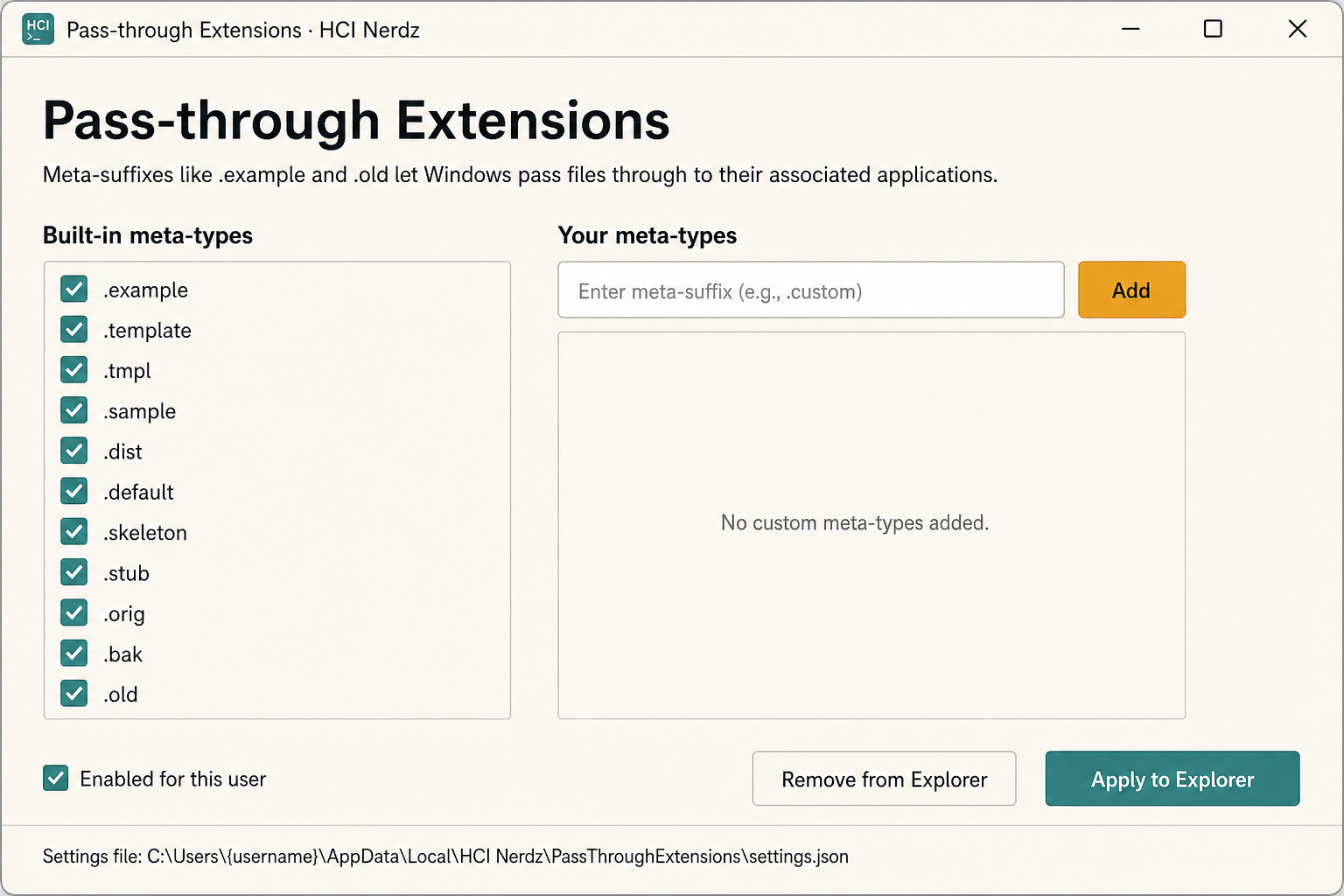
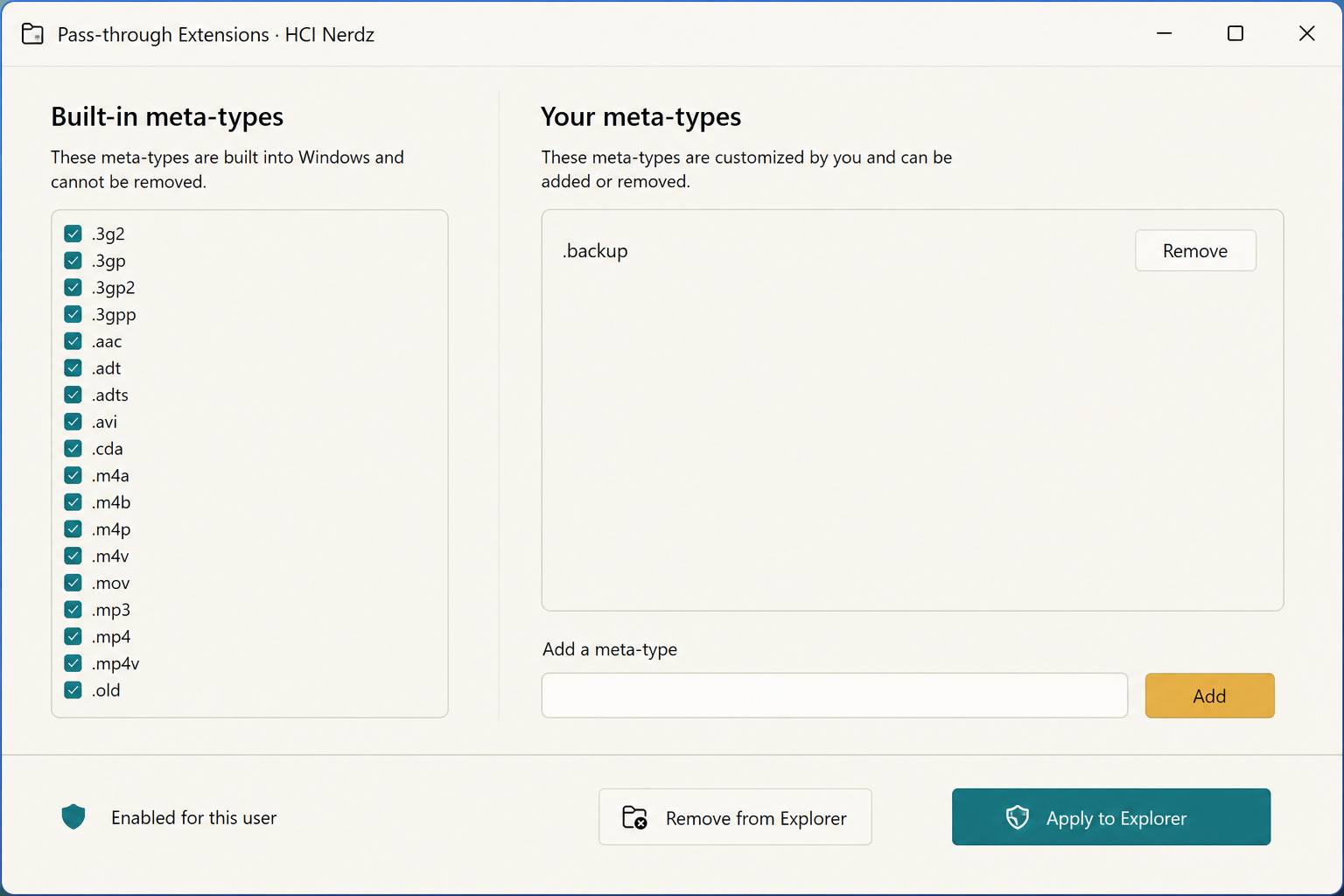
Explorer shots above are cropped from the original comparison art — panel labels and notes are HTML. Settings app photos below are light desktop chrome; click any shot to expand.