 HCI Nerdz
When the browser flattens working memory
Professional desktop software separates the model from controls about the model. The web collapsed that into one viewport — not because the platform forbids windows, but because SPAs optimized for mobile parity. Spatial web windows restore the cue.
Logins pop up a window, finish, and signal back. OAuth flows depend on that pattern. Core product UI almost never does — not because popups cannot manipulate data or talk to the opener, but because we stopped building that way.
The platform allows it. Same-origin popups can reach window.opener. Cross-origin flows use postMessage. BroadcastChannel and SharedWorker decouple state without tying garbage collection together. Document Picture-in-Picture opens a DOM floating window with no URL bar. Chromeless window.open feature strings strip auxiliary chrome in Chromium PWAs.
We rarely use any of this for the work itself.
The remote control on the desk
On a real desktop, you finish something in a satellite window and information returns to the calling context. You lock down what you were doing while exploring a connection inside a decided scope. The OS window frame is a mechanistic cue: this palette belongs to that viewport.
That is the remote-control metaphor. Functions about the model live beside the model — not stacked on top of it inside one flat plane.
SPAs solved a real problem: popup blockers, mobile tabs instead of floating windows, COOP severing opener, frameworks assuming one document root. But the trade was spatial ergonomics. Everything except the simplest modal lives in one 2D global mental context. Working memory carries relationships the chrome no longer shows.
CAD tools, NLEs, and photo editors solved spatial indexing decades ago. The web sacrificed it for sandboxing and single-frame parity.
What we gave up
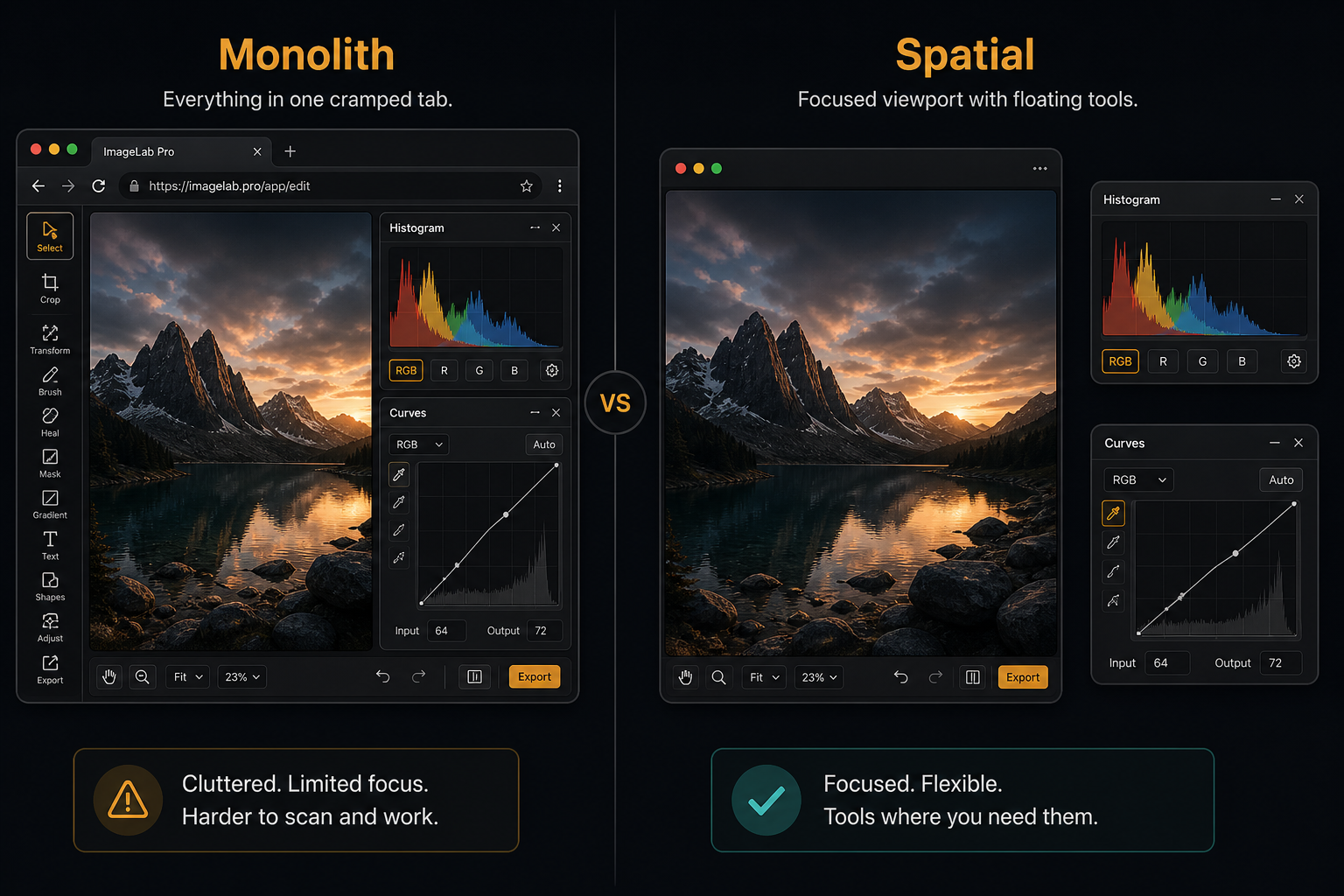
WASM and WebGPU fixed compute. They did not fix layout of control. Developers hit the canvas sandbox trap: reimplement windowing inside WebGL because DOM felt too rigid — Dear ImGui, custom toolkits, modal stacks drawn in pixels.
The irony is the platform already has lite windows:
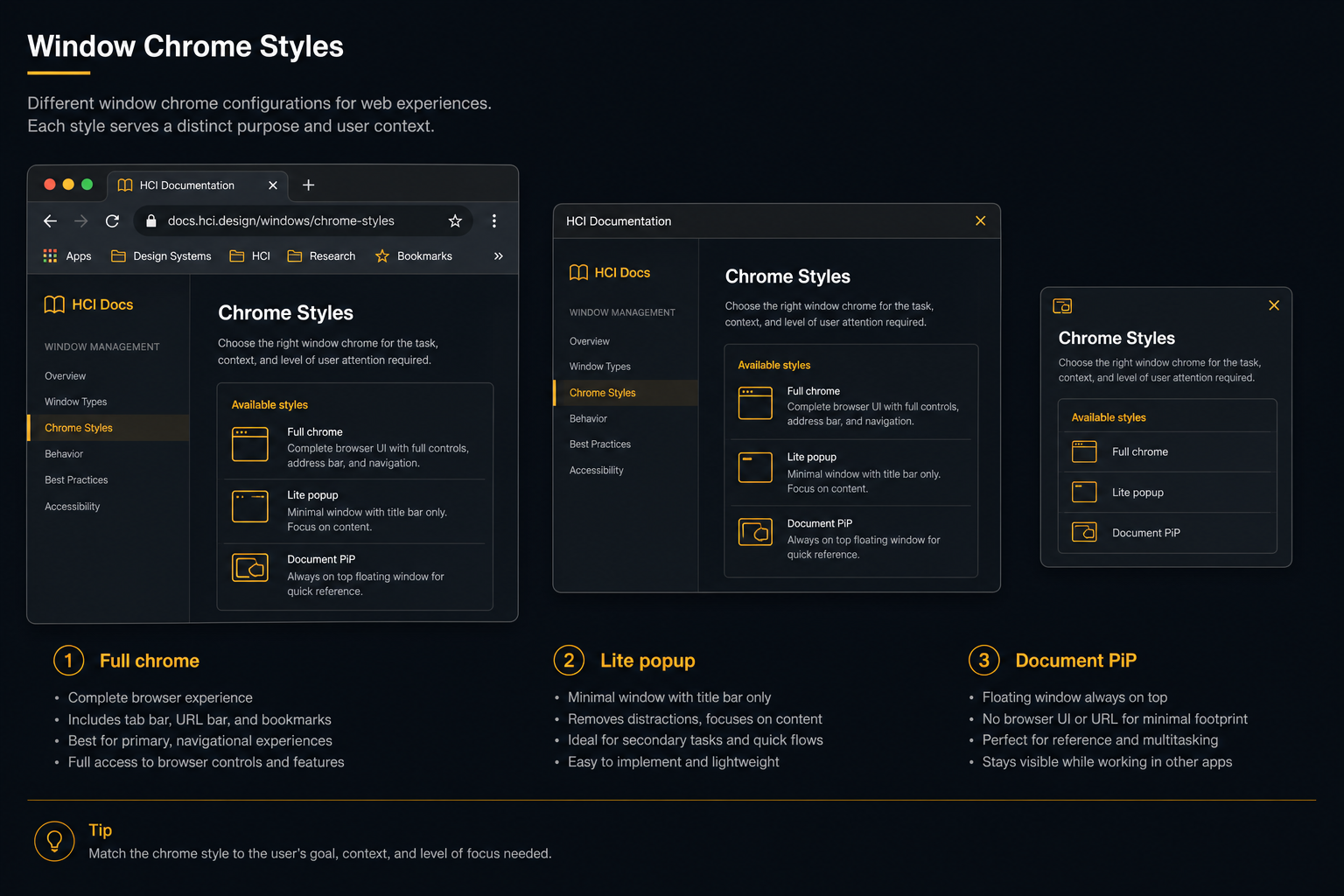
- Document PiP — arbitrary HTML, always-on-top of the parent document, no navigation chrome.
- Chromeless popups — auxiliary task windows without address fields when opened from an installed PWA.
- Window Controls Overlay — the app claims the surface to the OS edge; only native min/max/close remain.
The gap is not API absence. It is browser chrome policy: tab bar coupled to the OS window stack, no parent-relative always-on-top, background throttling when focus moves to a palette, responsive layouts keyed to pixel width instead of intent.
Intent, not width
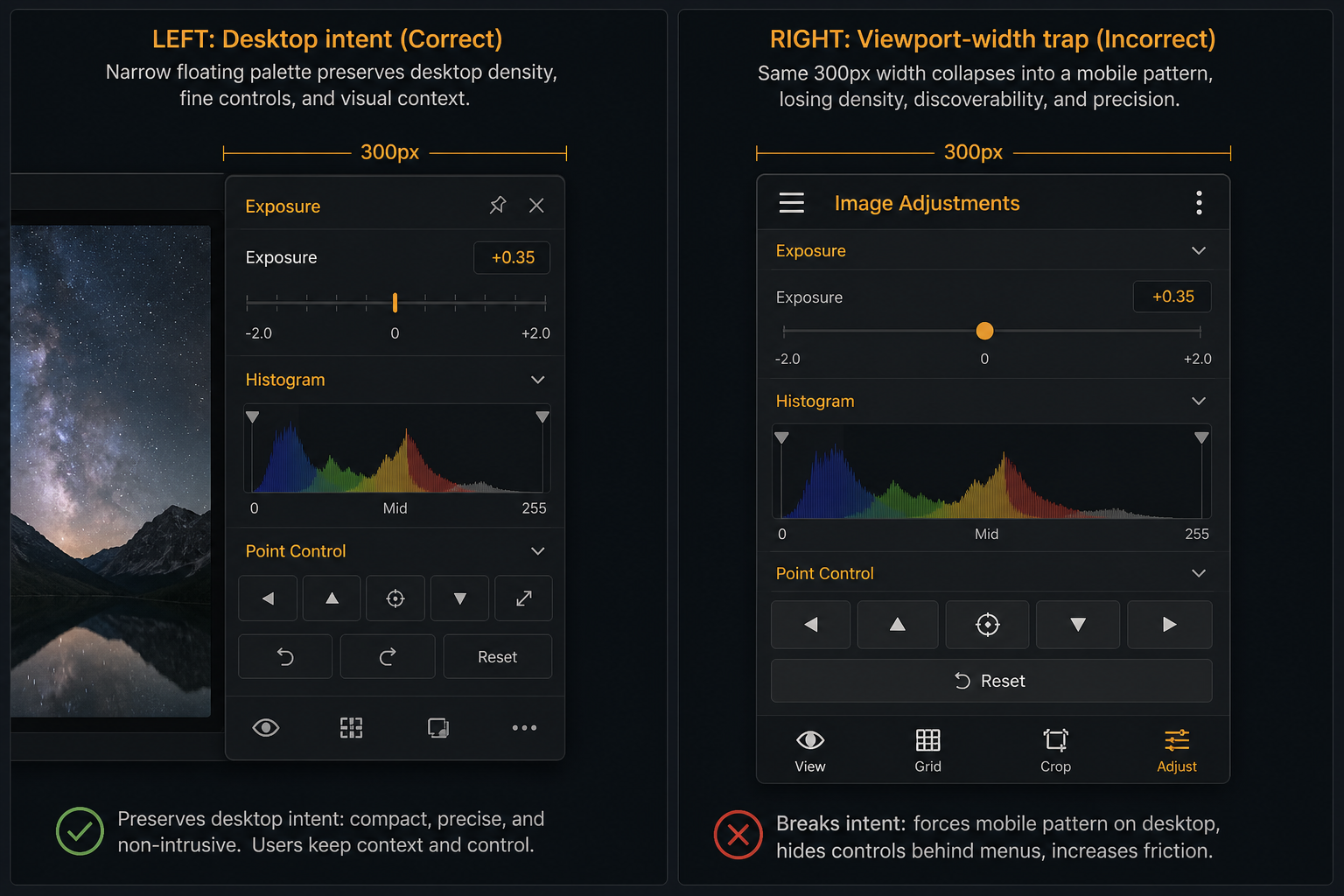
Tear an exposure slider into a 250px utility window and a @media (max-width: 768px) layout will happily render a hamburger menu — on a 1440p monitor, with a fine pointer, while you are editing a photo.
The fix is explicit display intent: desktop mode keeps palettes as lite windows; mobile mode collapses them to sheets. Guard with (pointer: fine) and (any-hover: hover), not viewport width alone. Phone routing can come later; the architectural split cannot.
What developers need
If you ship UI-heavy or WASM-powered web apps, you are a stakeholder:
- Run the engine in the viewport (or
OffscreenCanvasin a worker). - Render inspectors as DOM in lite windows — not inside the GPU pipeline.
- Coordinate with a
SharedWorkerhub so palettes are projections, not second apps. - Negotiate intent before layout; never let a narrow palette window trigger mobile templates by accident.
Dev-Centr collects the architecture notes: UI-heavy web applications — Spatial windows and lite palettes.
Browser-level fixes — workspace grouping, parent-relative always-on-top, reduced throttling among workspace peers — live in Desktop-Tooling/spatial-browser.
Tab click should feel like app switch
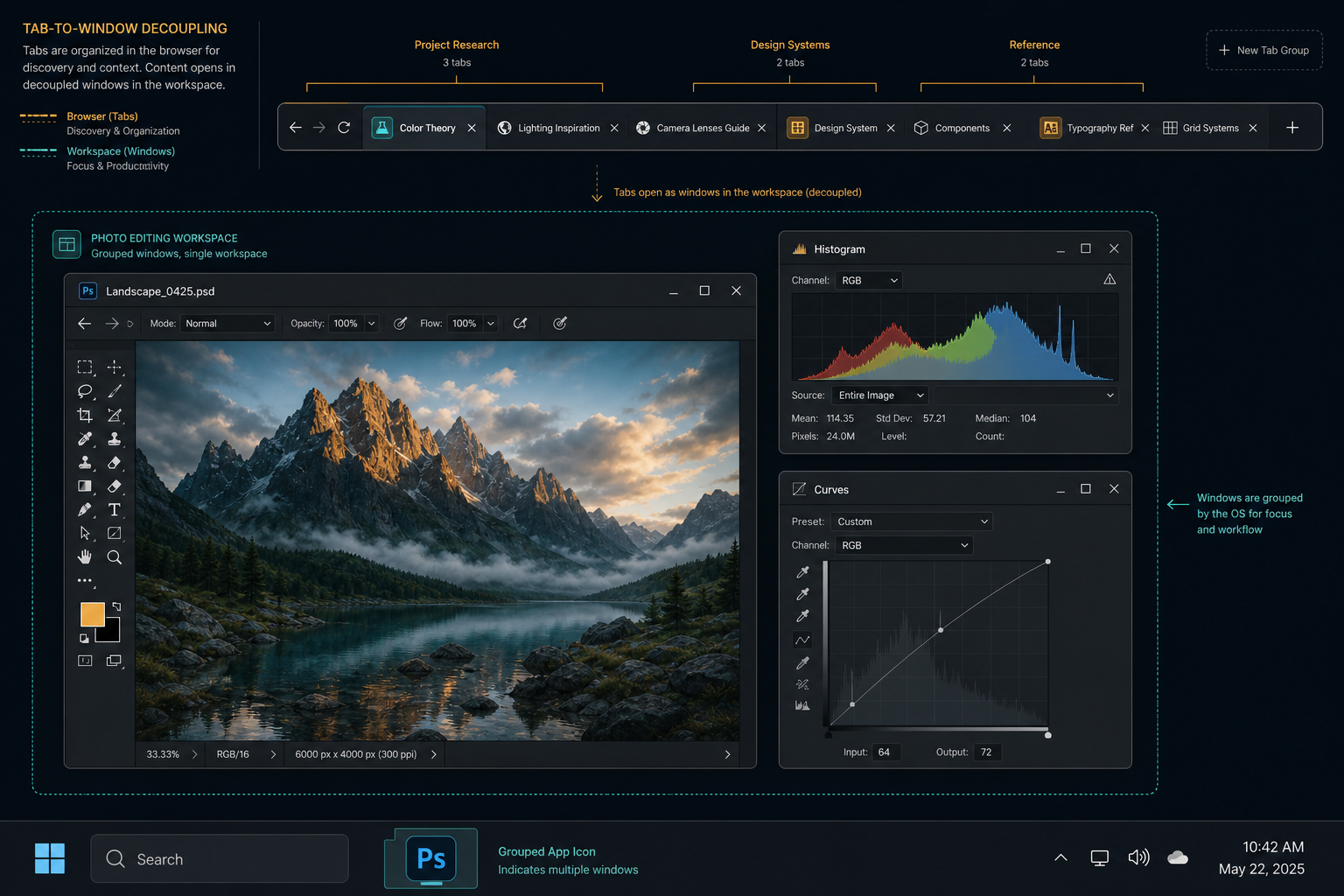
The browser can decouple the tab strip from the window view without spawning a new OS window per tab. Clicking tabs should feel like switching between apps in a suite — while auxiliary palettes stay grouped with their viewport on the taskbar.
That requires cooperation from the browser, not only from app code. Stock Chromium gets us partway; the fork tracks the rest.
Where to go next
The claim is spatial decoupling as HCI — lite windows as cognitive scaffolding, not a nostalgia trip for MDI widgets.
- Docs — Spatial web windows
- Demo — Spatial web windows desk
- Sibling — Many small tools under one roof (scoped tools can occupy separate OS windows)